REST Webservices are the de-facto standard for integration on the web, but as a RPG programmer you were not part of the game till IBM has released IBM i 7.2 TR1 and IBM i 7.1 TR9. With this releases IBM has added functionality to enable your RPG Serviceprogramms to act as a REST service. The support for REST Webservices is relative similar to that what we had for SOAP Webservices before. IBM has posted a three part tutorial (part1, part2, part three is missing in the moment) on their developerworks site which gives you a quick start with this new opportunity.
P.S. share it if you like it
A blog about information technology. I am especially interested in Java, Eclipse RCP, IBM Notes Domino, Db2 and IBM i
Wednesday, February 4, 2015
Tuesday, February 3, 2015
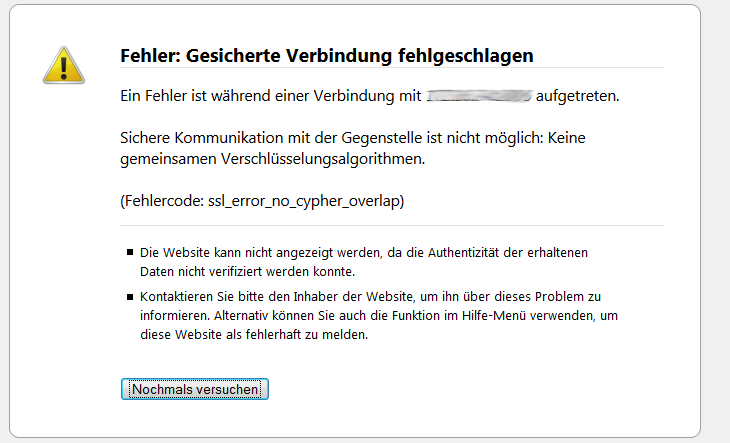
IBM Navigator for i does no longer work with Firefox 31 and above.
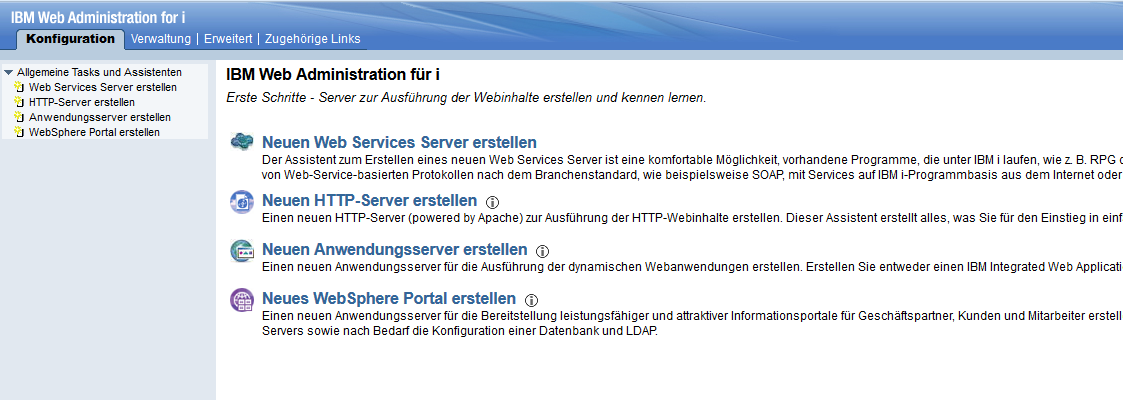
From time to time i need the IBM Navigator for i to configure some things on my system which are not possible in greens screen or the Windows based Navigator. Today i have noticed that the Navigator is no longer working with Google Chrome and Firefox 31 and above. The reason is, that Navigator for i still uses SSLv3 and the browsers are no longer accepting such sessions wich are vulnerable by POODLE attacks. Update: I have opened a PMR with IBM and IBM told me, that this have to be a configuration problem on our IBM i. The IBM i box of support engineer works with Firefox 35. They are investigating now what's the root cause for the problem on our IBM i.
As a temporary workaround you can change the "security.tls.version.min" value in about:config to "0" to enable SSv3 in your browser.
Enter "about:config" in your address bar.
Confirm that you will be carefully with your changes.
Enter "security.tls.version.min" in the search bar of about:config
double click the value and change it from 1 to zero.
After you have finished your work with Navigator for I you should restore the original value of 1 in "security.tls.version.min"
Update: IBM has solved the problem on our machine. The replaced some config files of the server in the IFS with working ones. If you have the same problem call IBM support and refer to PMR 22691,060,618
As a temporary workaround you can change the "security.tls.version.min" value in about:config to "0" to enable SSv3 in your browser.
Enter "about:config" in your address bar.
Confirm that you will be carefully with your changes.
Enter "security.tls.version.min" in the search bar of about:config
double click the value and change it from 1 to zero.
After you have finished your work with Navigator for I you should restore the original value of 1 in "security.tls.version.min"
Update: IBM has solved the problem on our machine. The replaced some config files of the server in the IFS with working ones. If you have the same problem call IBM support and refer to PMR 22691,060,618
Friday, January 30, 2015
Libreoffice 4.4 has been released
Yesterday the latest version 4.4 of the amazing open source office suite has been released. You can find a detailed description what is new in this version in the Release Notes or in a blog post of Michael Meeks from Colabra. You can download the fresh version here.
Please be aware, that the first version of a new release is intended for testing and not recommended for corporate use. Corporate Users should use the stable 4.3.5 version
Thursday, January 29, 2015
How to show the Firmwareversion of your Power machine on IBM i
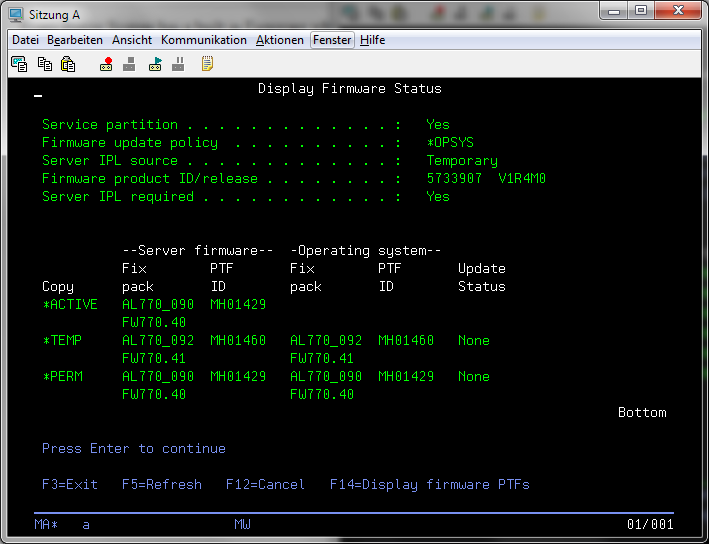
Every Power System has a built in Firmware which controls the Hardware and the service processor. It is very important that your server has the correct Firmware version which supports your IBM i OS Version. So from time to time you should check if your Firmware version is still up to date. In earlier releases you have to go to the System Service Tools and run a LIC macro, but since V6R1 there is a new command "DSPFMWSTS" which shows you the currently installed firmware on your permanent and temporary boot side and what firmware is currently active.
Friday, January 23, 2015
Who can stop Ginni Rometty from killing IBM
I have never understood the plan Rometty has for IBM, but when the rumor that she will lay off 25% of the employees of IBM is true, maybe Gini Rometty has the same plan for IBM as Steven Elop had for Nokia. Read the details about the rumors on Project Chrome on the blog of Robert X. Cringely
Thursday, January 22, 2015
Die HoloLens von Micosoft sieht extrem cool aus.
Auch wenn ich skeptisch bin, ob die HoloLens alle in den Videos gemachten Versprechungen einlösen kann, halte ich es für interessanter als eine Occulus Rift, da man während des Einsatzes der Brille nicht komplett blind ist und man damit nicht in Wände läuft. Auf jeden Fall ein cooles Lebenszeichen, dass man bei Microsoft noch in der Lage ist, coole Gadgets zu erfinden.
Tuesday, January 20, 2015
Überblick über die Peeringvereinbarungen der Internetprovider
Eines der wichtigsten Vergleichskriterien bei der Auswahl eines Internetproviders neben dem Preis und der Anbindung auf der letzten Meile ist sicher die Anbindung des Internetproviders an die großen Netzknoten des Internet. Die meisten Provider geizen da ja ziemlich mit Ihren Infos zu diesem Thema und behaupten von sich selbst, dass sie das beste Netz haben usw.
Da ich derzeit öfters zur Primetime eine schlechte Verbindung zu Netflix hatte wollte ich mal schauen, wie eigentlich mein Provider A1 Telekom mit Netflix verbunden ist. Derzeit geht das Routing laut Tracert zu den Netflix Servern über die Amsterdam Internet Exchange der einer der größten Knotenpunkte des Internets weltweit ist. Leider sieht man auf den Seiten dieses Peeringpunkts aber nicht, wie die einzelnen Provider angebunden sind.
Nach längerer Internetrecherche habe ich dazu eine interessante Quelle gefunden die Peering Database. In dieser Datenbank sind die Provider eingetragen mit einer Beschreibung zu welchen Internetknoten sie derzeit welche Verbindung haben. Ein Lesezugriff auf die Datenbank ist mit dem Benutzer und Passwort "guest" möglich.
Ich fand die Informationen sehr interessant, vor allem wenn man sich ansieht mit welchen Kapazitäten Netflix derzeit an die diversen Knotenpunkte im Internet angebunden ist.
Da ich derzeit öfters zur Primetime eine schlechte Verbindung zu Netflix hatte wollte ich mal schauen, wie eigentlich mein Provider A1 Telekom mit Netflix verbunden ist. Derzeit geht das Routing laut Tracert zu den Netflix Servern über die Amsterdam Internet Exchange der einer der größten Knotenpunkte des Internets weltweit ist. Leider sieht man auf den Seiten dieses Peeringpunkts aber nicht, wie die einzelnen Provider angebunden sind.
Nach längerer Internetrecherche habe ich dazu eine interessante Quelle gefunden die Peering Database. In dieser Datenbank sind die Provider eingetragen mit einer Beschreibung zu welchen Internetknoten sie derzeit welche Verbindung haben. Ein Lesezugriff auf die Datenbank ist mit dem Benutzer und Passwort "guest" möglich.
Ich fand die Informationen sehr interessant, vor allem wenn man sich ansieht mit welchen Kapazitäten Netflix derzeit an die diversen Knotenpunkte im Internet angebunden ist.
Saturday, January 17, 2015
Howto recover your Playstation 3 from a hard disk crash
Recently the hard disk of my PS3 died. I have thought that the only way to solve this problem is to get it to a repair center, but after a short investigation i have found out that it is very easy to replace the hard disk by your self.
First thing you need a 2.5" SATA 5400 RPM Hard drive. You can also use a faster one, but you will not see a performance improvement over the 5400 one, because the PS3 can not utilize such fast disks.
Follow the instructions on the Sony Hard disk replacement knowledegebase page to replace your broken drive with the new one.
Then you have to download the latest Firmware of the PS3 from the System updates download page.
Then put the downloaded "PS3UPDAT.PUB" on an USB stick in the Folder "\PS3\UPDATE". The folder name must be in all uppercase letters. Insert the stick in a free USB slot of your PS3 and follow the On screen instructions to format the new drive and reinstall the system software.
I am very happy again, that i can use my PS3 as media center again.
First thing you need a 2.5" SATA 5400 RPM Hard drive. You can also use a faster one, but you will not see a performance improvement over the 5400 one, because the PS3 can not utilize such fast disks.
Follow the instructions on the Sony Hard disk replacement knowledegebase page to replace your broken drive with the new one.
Then you have to download the latest Firmware of the PS3 from the System updates download page.
Then put the downloaded "PS3UPDAT.PUB" on an USB stick in the Folder "\PS3\UPDATE". The folder name must be in all uppercase letters. Insert the stick in a free USB slot of your PS3 and follow the On screen instructions to format the new drive and reinstall the system software.
I am very happy again, that i can use my PS3 as media center again.
Subscribe to:
Posts (Atom)
ad