On IBM i every object has an owner. Normally the owner of an object is the creator of the object. When you want to delete an user with DLTUSRPRF which is still the owner of objects you will get a CPF2215 error that the deletion of the user is not allowed. You can view all objects an user owns with "WRKOBJOWN USERPRF(username)". One possible solution for the CPF2215 is to change the owner of all objects in the WRKOBJOWN overview to another user.
But there is a much easier way to solve this problem. Add the parameter "OWNOBJOPT(*CHGOWN newowner)" to the DLTUSRPRF command and all owned objects will be transfered to the newowner automatically.
An example - the admin want to delete "usera" and want to transfer all objects to "userb":
DLTUSRPRF USRPRF(usera) OWNOBJOPT(*CHGOWN userb)

Tuesday, August 27, 2013
Tuesday, August 20, 2013
Tips for new Nokia Lumia users
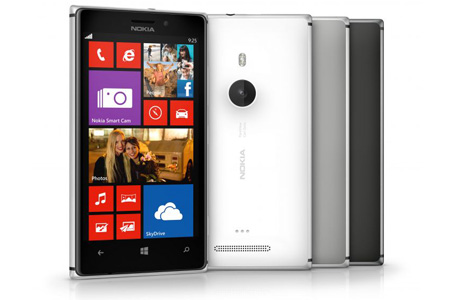
I was a long time user of Nokia symbian smartphones, but after Nokia gave up Symbian i have switched to android. But now since the arrival of windows phone 8 devices Nokia has very attractive new smartphones in there portfolio again. If you are new to the Lumia world as i am, then for sure you will find the Top tips for new Lumia owners part 1 and Top tips part 2 on Nokia Conversations very interesting.
Monday, August 19, 2013
Some interesting readings for RPG Developer
In V6R1 and V7R1 RPG has gotten some long awaited improvements in the handling of sub procedures. Be sure to read the following posts in IBMSystem Magazine to fully understand the new possibilities.
Modules, Subprocedures and Files
Major Changes in RPG File Handling
Data Storage Options in Subprocedures
Dumping Subroutines: Breaking Up Is Hard To Do, Or Is It?
Modules, Subprocedures and Files
Major Changes in RPG File Handling
Data Storage Options in Subprocedures
Dumping Subroutines: Breaking Up Is Hard To Do, Or Is It?
Wednesday, August 14, 2013
Show pictures in emails from iPhones as attachments and not as inline images
It is very annoying, that the iPhone send pictures in email not as attachments but as inline images. This is especially a problem when you use a client to view such a mail, because it is a little bit difficult to save inline images to your file system.
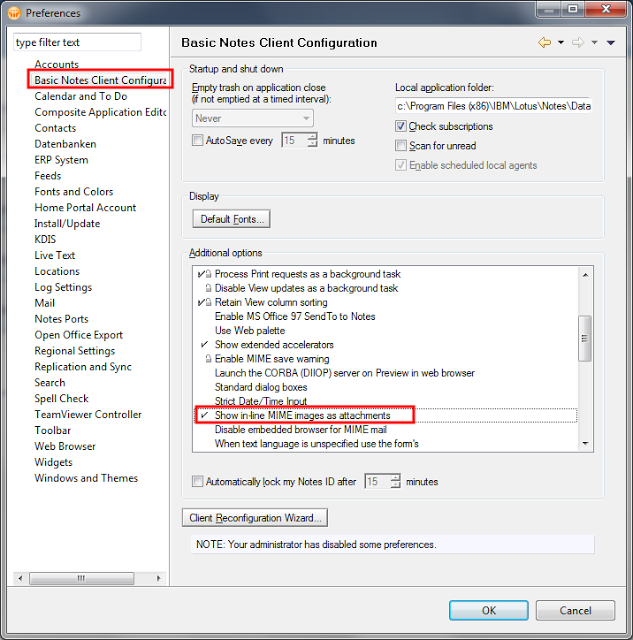
Fortunately the notes client have the setting "Show in-line MIME images as attachments" which you can find in the Preferences Dialog in the "Basic Notes Client Configuration".
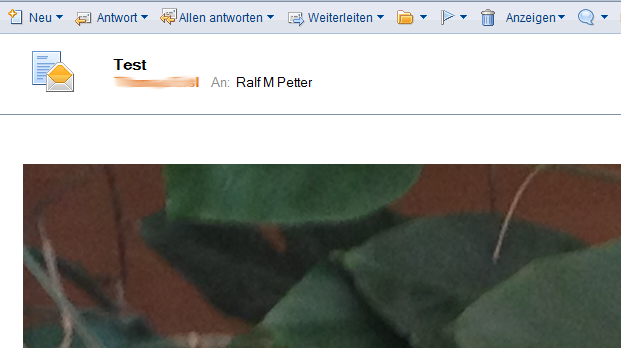
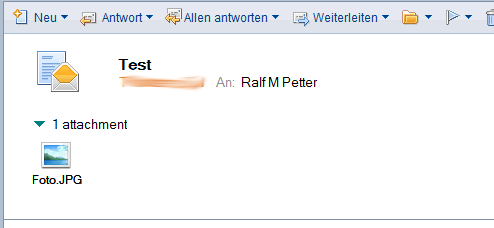
When you set the above described option all pictures in e-mails from iPhone user, will be shown as attachments, which you can open in your favorite photo editor, or save to the file system. This setting will not only change the behavior for new mails, but also for old ones. So you can always uncheck the "Show inline MIME images as attachments" option and will get the old behavior back. But i am pretty sure, you will not want it back if you have tried out this setting. An example for the email with the option set:
The option in the ui sets the variable "ShowMIMEImagesAsAttachments=1" in your Notes.ini. So when you want do deploy this useful option to all your notes users, you can set the "ShowMIMEImagesAsAttachments=1" variable in the notes.ini section of your Desktop policy.
Fortunately the notes client have the setting "Show in-line MIME images as attachments" which you can find in the Preferences Dialog in the "Basic Notes Client Configuration".
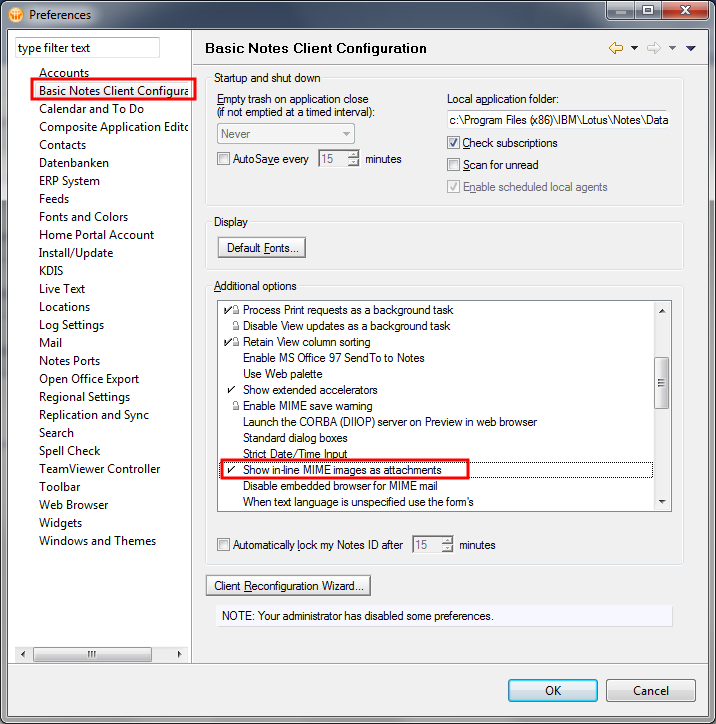
When you set the above described option all pictures in e-mails from iPhone user, will be shown as attachments, which you can open in your favorite photo editor, or save to the file system. This setting will not only change the behavior for new mails, but also for old ones. So you can always uncheck the "Show inline MIME images as attachments" option and will get the old behavior back. But i am pretty sure, you will not want it back if you have tried out this setting. An example for the email with the option set:
The option in the ui sets the variable "ShowMIMEImagesAsAttachments=1" in your Notes.ini. So when you want do deploy this useful option to all your notes users, you can set the "ShowMIMEImagesAsAttachments=1" variable in the notes.ini section of your Desktop policy.
Monday, August 12, 2013
IBM Notes/Domino 8.5.3 FP5 is available on Fix Central
Fixpack 5 for IBM Notes/Domino 8.5.3 is available on Fix Central.
 This update contains a new Version (1.6 SR14) of the java virtual machine which fixes several known security vulnerabilities. So it is strongly recommended to install this fix pack on your Client and Server.
As always you can find all fixed SPR's in the fixlist database on Developer works.

As always you can find all fixed SPR's in the fixlist database on Developer works.
Saturday, August 10, 2013
Was gibts neues in Java 8
Vielleicht ist es ja etwas früh sich mit Java 8 zu beschäftigen, da wir in Notes leider noch nicht einmal die Version 7 bekommen haben. Aber Java 8 bietet so viele tolle Neuerungen wie Lamda Expressions, Erweiterungen bei den Annotations und eine komplett neue Bibliothek für das Datum und Zeithandling, dass ich mich einfach schon damit beschäftigen muss. Vielleicht haben wir ja auch das Glück und die IBM überspringt die Version 7 und bietet nächstes Jahr Notes gleich mit der Version 8 an. Nicht verschweigen darf man aber, dass einige lange erwartete Funktionen wie Projekt Jigsaw in das nächste Release verschoben wurden. Alles in allen bin ich aber von den neuen Funktionen wirklich sehr beeindruckt und sie zeigen, dass Java nach wie vor Zukunft hat und vor allem im Vergleich zu den neueren JVM Programmiersprachen wie Scala den Vorteil bietet, dass es zu 100% kompatibel mit bestehenden Code ist.
Einen sehr guten Überblick über die Neuerungen in der Programmiersprache findet man auf Heise Developer
Wenn man auf den Geschmack gekommen ist, kann man eine Vorabversion von Java 8 auf java.net herunterladen.
Einen sehr guten Überblick über die Neuerungen in der Programmiersprache findet man auf Heise Developer
Wenn man auf den Geschmack gekommen ist, kann man eine Vorabversion von Java 8 auf java.net herunterladen.
Friday, August 9, 2013
Amazon-Login mit falschem Passwort möglich
Eigentlich unvorstellbar, dass das größte e-commerce Unternehmen der Welt immer noch nicht so einfache Dinge wie eine Anmeldung mit einem Passwort 100% im Griff hat. Ich verwende Amazon sehr gerne und habe auch schon einige Cloud Dienste von denen in Verwendung. Aber solche Vorfälle lassen einen wieder nachdenken, ob das sinnvoll ist.
mehr->
mehr->
Thursday, August 8, 2013
Force the Notes client to refresh policies from the server
One of the best Admin features of the Domino Notes eco system are the Policies. With Domino policies you can control many aspects of the configuration of your notes clients in your environment. You can prevent your users from accidentally change configuration settings to values which will not work in your environment, or you can enforce security settings in the client to match your security policies in your company. So Domino Policies are really very important part of a successful Notes client deployment. If you need information what you can do and how to implement policies properly you can find many good advice in the "Using IBM Lotus Domino 8.5 Policies to Manage Your Clients" from Darren Duke.
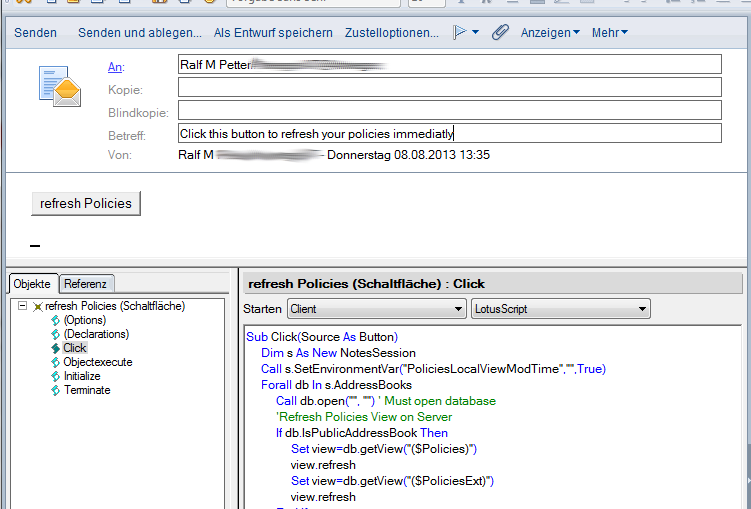
But one major annoyance of the implementation of Domino policies is that it is very unpredictable when the notes client will refresh his policies from the server. Especially in test environments you restart your clients often only to see that your changes on Policies are still not pushed to your test client. Or something in your client goes wrong and policies will not be updated anymore. So i have created a small lotus script program to delete the local cache of the policies and refresh all policies from the server which you can put in the click event of a button.
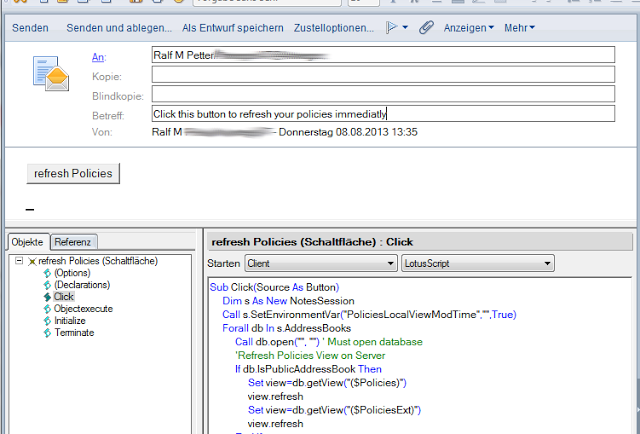 I have tried this code in our Domino 8.5.3 environment. If you have any problems please leave a comment.
Have a look at my other postings relating policies
But one major annoyance of the implementation of Domino policies is that it is very unpredictable when the notes client will refresh his policies from the server. Especially in test environments you restart your clients often only to see that your changes on Policies are still not pushed to your test client. Or something in your client goes wrong and policies will not be updated anymore. So i have created a small lotus script program to delete the local cache of the policies and refresh all policies from the server which you can put in the click event of a button.
Sub Click(Source As Button)
 Dim s As New NotesSession
 Call s.SetEnvironmentVar("PoliciesLocalViewModTime","",True)
 Forall db In s.AddressBooks
  Call db.open("", "") ' Must open database
  'Refresh Policies View on Server
  If db.IsPublicAddressBook Then
   Set view=db.getView("($Policies)")
   view.refresh
   Set view=db.getView("($PoliciesExt)")
   If Not view Is Nothing Then
     view.refresh
   End If
  End If
  'Remove all policydocuments on the local client
  If db.isPrivateAddressBook And db.server="" Then
   Set view=db.getView("($Policies)")
   Set doc=view.getFirstDocument
   view.autoupdate=False
   While Not doc Is Nothing
    Set tempdoc=doc
    Set doc=view.getNextDocument(doc)
    tempdoc.remove(True)
   Wend
   view.autoupdate=True
   view.refresh
  End If
 End Forall
 'Run Dynamic client configuration to repopulate the local policy view
 Set s=Nothing
 result=Shell ("ndyncfg.exe ""1""",1)
End Sub
Have a look at my other postings relating policies
Subscribe to:
Posts (Atom)
ad