Maybe this dream can come true, when the idea "Change the way you, as a customer, can weigh on SPR's" gets many votes. So if you want to tell IBM which SPR's are the most important then vote for this idea on idea jam.

Thursday, June 20, 2013
Scott Souder has announced ODBC for Domino 9
Better late then never Scott Souder has announced the availability of the ODBC driver for Domino 9.
When you have an IBM id you can download the ODBC driver from the developerworks site
The part numbers for the 32 bit version is CIMW6EN and for the 64 bit version CIMW7EN.
When you have an IBM id you can download the ODBC driver from the developerworks site
The part numbers for the 32 bit version is CIMW6EN and for the 64 bit version CIMW7EN.
Wednesday, June 19, 2013
A new toy has arrived
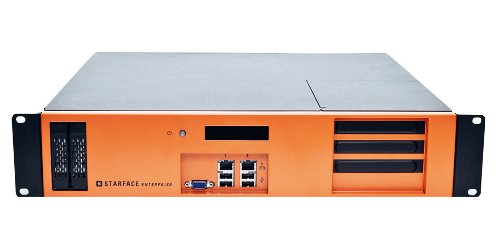
Last week we got a new toy to play at our company. A Starface PBX which will possibly replace our old Ericsson PBX system. The Starface PBX is built on Opensource technology like Asterisk and Hylafax with a proprietary Web UI. The system is very easy to administrate and you can connect the PBX over IP trunks or ISDN Links to the telephony providers. My task in the evaluation process is to check if i can build a first class CTI Solution which integrates with our custom CRM and ERP System. So stay tuned if you are interested in informations how to place calls, get calllists or make configuration changes of your telephone from the Notes client.
Tuesday, June 18, 2013
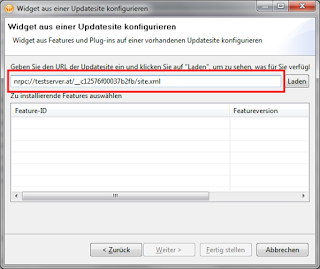
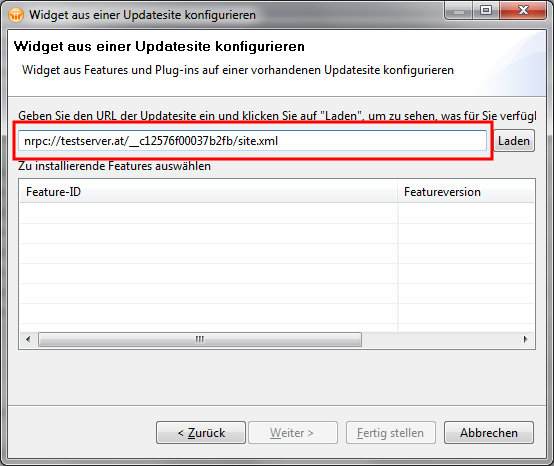
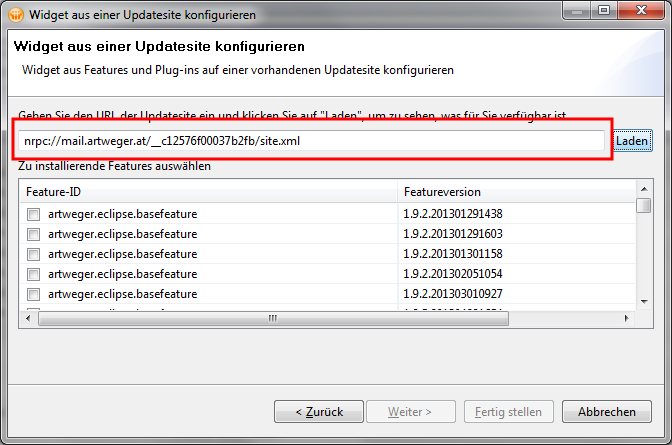
Easy way to get the Url of an update site in Notes
If you want to create a new widget from a feature in an update site you can either type in the url of the update site in the new widget dialog manually (ServerName/ReplicaID/site.xml).
Monday, June 17, 2013
Wednesday, June 12, 2013
Read Character Columns with CCSID 65535 in JDBC
In DB2 on the System i every Character Column have a CCSID which defines with which characterset the data of this column is encoded. For example a column with german characters should normally be encoded with 273 or 1141. When you access this columns from JDBC the data will be automatically converted from the characterset used in the column to Unicode. But when the CCSID of the column is 65535 (binary data) the jdbc driver will not convert and since all data on the System i is stored in EBCDIC you will only get garbage from this columns.
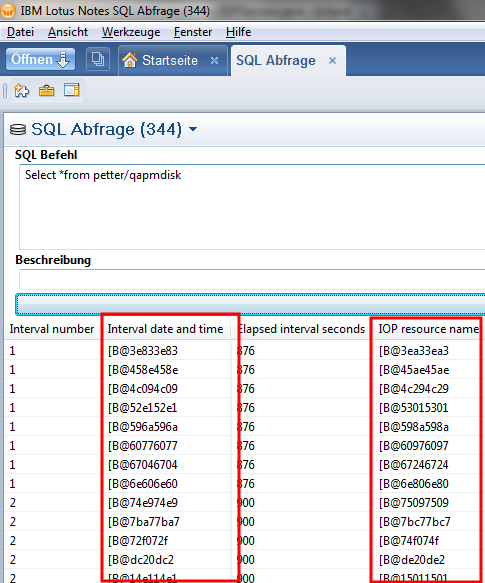
But there is an easy way to fix this problem. You need to set the translateBinary Option to true when you connect to your System i and every 65535 character field will be translated from EBCDIC to Unicode automatically.
Then the result is human readable.
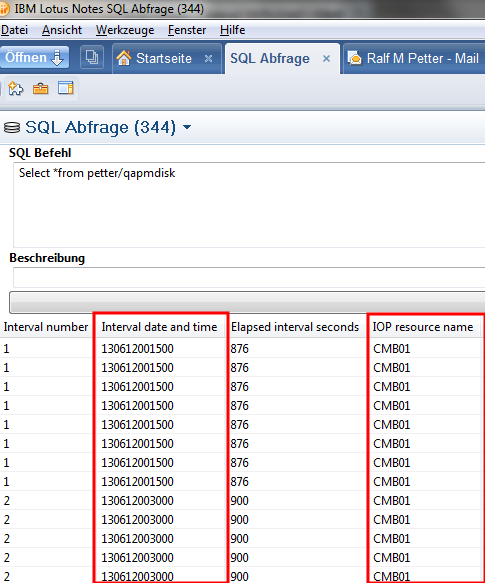
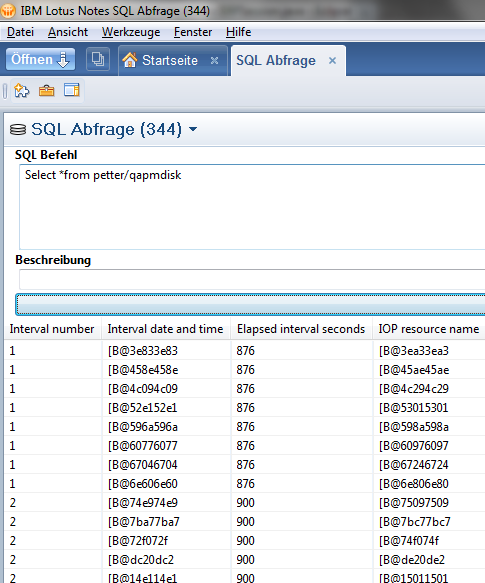
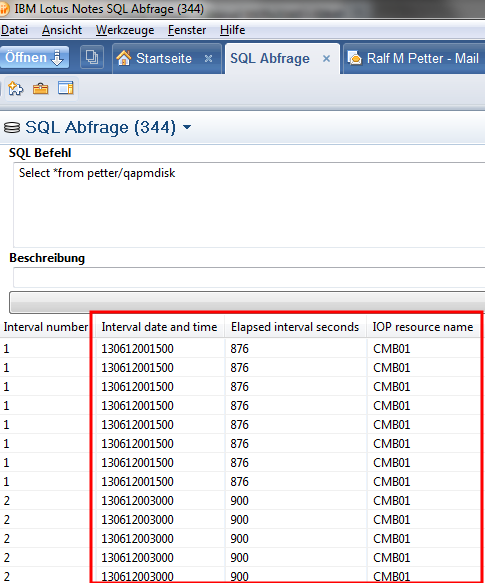
But there is an easy way to fix this problem. You need to set the translateBinary Option to true when you connect to your System i and every 65535 character field will be translated from EBCDIC to Unicode automatically.
  AS400JDBCDataSource dataSource = new AS400JDBCDataSource(systemName, userName, password);
  dataSource.setTranslateBinary(true);
  Connection conn = dataSource.getConnection();

  // Or when you prefer the old connection Method
  Connection conn2 = DriverManager.getConnection("jdbc:as400://" + systemName + ";translate binary=true",
    userName, password);
Then the result is human readable.
Monday, June 10, 2013
Add a column to a DB2 table in a specific position in V7R1
With the SQL command "ALTER TABLE" you are able to add columns to your DB2 Tables for a long time. But before V7R1 you can only add columns to the end of the row. In V7R1 you can use the "BEFORE column" clause to specify the exact position where your new column should be inserted. Here is an example:
Table "customer"
With "ALTER TABLE customer ADD COLUMN Customer_Name2 CHAR(30) BEFORE Customer_address" can you add a second name column to the correct position.
Table "customer"
| Field | Type |
| Customer_Number | CHAR(10) |
| Customer_Name1 | CHAR(30) |
| Customer_address | CHAR(30) |
With "ALTER TABLE customer ADD COLUMN Customer_Name2 CHAR(30) BEFORE Customer_address" can you add a second name column to the correct position.
Saturday, June 8, 2013
Visual Explain explained
Visual Explain in Db2 is a great tool which shows you how the query optimizer actually processes your sql statements. It gives you every information that you need to improve your sql statements or gives you hints which indexes you should create to get a better performance. Here is an example of the output of visual explain:
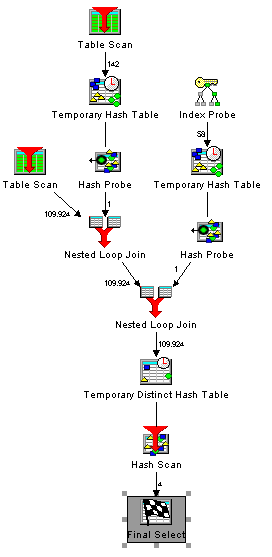
Every little icon represents one process step in your query. Some of the icons are pretty clear. Everyone knows what a table scan or and index probe means. But what about the others? The online help of Visual explain is not really helpfull, because there are only very short descriptions of every icon. But fortunatly there is a detailed description with examples of every access method the query optimizer can choose to process your sql statements in the IBM i information center. If you prefer to read this informations on paper you can download a PDF from http://pic.dhe.ibm.com/infocenter/iseries/v7r1m0/topic/rzajq/rzajq.pdf
Subscribe to:
Posts (Atom)
ad